
内容|SAP Hybris Commerce的安装脚本内容解析( 二 )
文章图片
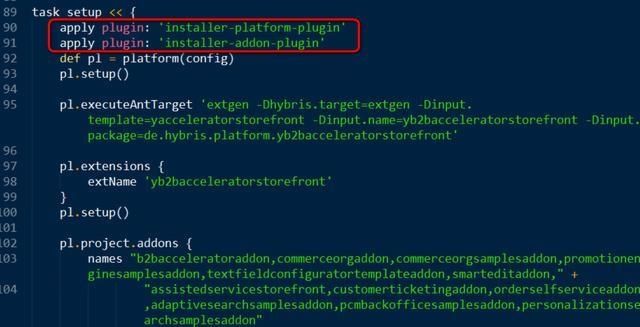
【 内容|SAP Hybris Commerce的安装脚本内容解析】插件installer-platform-plugin的实现位于installer文件夹的libs文件夹下面:
文章图片
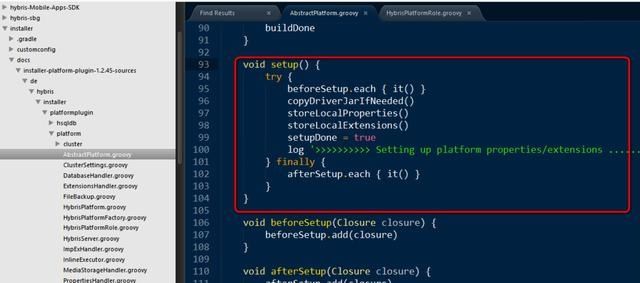
setup实现的源代码:
```groovy
void setup() {
try {
beforeSetup.each { it() }
copyDriverJarIfNeeded()
storeLocalProperties()
storeLocalExtensions()
setupDone = true
log '>>>>>>>>>> Setting up platform properties/extensions ...... DONE'
} finally {
afterSetup.each { it() }
}
}
```
文章图片
关于recipe的更多说明,可以查看文件夹下的readme.txt: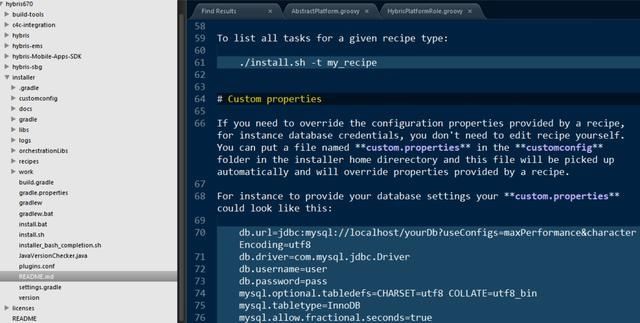
文章图片
执行完setup之后,bin文件夹的父文件夹内,就会出现很多平级的文件夹:config, data, log, roles和temp.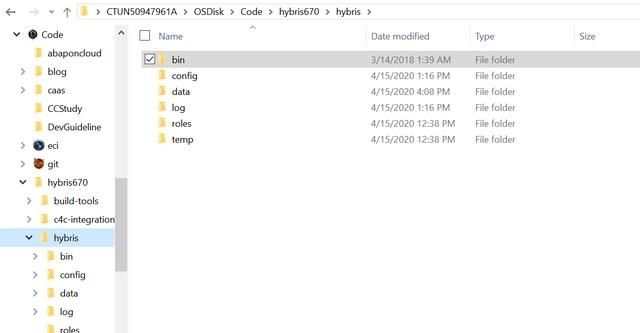
文章图片
其中data文件夹存放的是数据库相关的内容: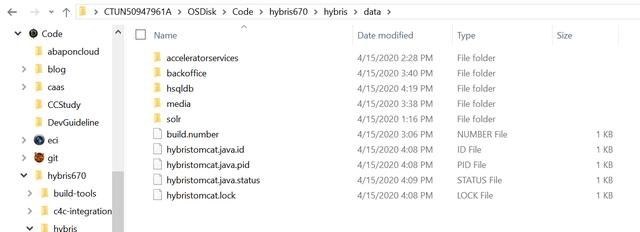
文章图片
config文件夹:It has all config files. Instead modifying files in platform folder, modify them in the config folder (localextensions.xml / local.properties). If you are sure what you doing, then you can also do in platform folder.
# 为什么Hybris第一次启动前需要先build?
(1) Hybris is extendable complex solution. During build, all referenced components are integrated. (2) Runtime files and configuration files are created, prepared, and validated.
(3) Some parts of Hybris are compiled, such as: - Service Layer & Other Hybris Components
使用ant和maven进行build:
(1) Compiling Source code into Binary code
(2) Generates & compiles Model classes based on definitions in "*-items.xml" file
(3) Running tests
(4) Deployment to production systems
(5) It builds every extension listed (or) referenced by "localextensions.xml"
推荐阅读














- 综艺|《街舞3》选手质量两极分化,内容注水,9.0高分还能保持多久?
- 购物袋|明年起禁用不可降解塑料购物袋,具体内容揭秘有哪些影响
- 文旅|快手发布文旅光合计划,百亿流量鼓励优质文旅内容生产
- 直播|小红书:二季度拦截刷量1.3亿次,三季度重点规范提升直播内容
- 文章|网站内容该如何更新,怎么让文章快速收录?
- 双星|科学家发现神奇的异类双星系统
- 用户上传内容侵权,网络平台责任如何厘清
- 内容|赵丽颖给包包贴创可贴,看见被覆盖的内容后,可真是一个小机灵鬼
- 兼任|奈飞敲定CEO接班人:宣布首席内容官兼任联席CEO
- 日本|千叶雄大陷入40万公里宇宙级恋爱,田村淳介绍日本最新流行内容